

Universities and tertiary education
Pool vehicle booking for universities.
Let staff book shared vehicles, apply your approval rules and see usage by department. Sensium brings university fleet management, from bookings to reporting, into one system.
- Booking permissions by fleet
- Manager approval rules
- Cost-centre reporting
Sensium works with universities, and manages shared fleets for councils, government and enterprise organisations across Australia. If your vehicles belong to different departments and campuses, with different rules about who can book them and how their use is recorded, the same booking rules, permissions and reporting apply.
What the system helps you manage
Shared bookings that reflect the way your university works.
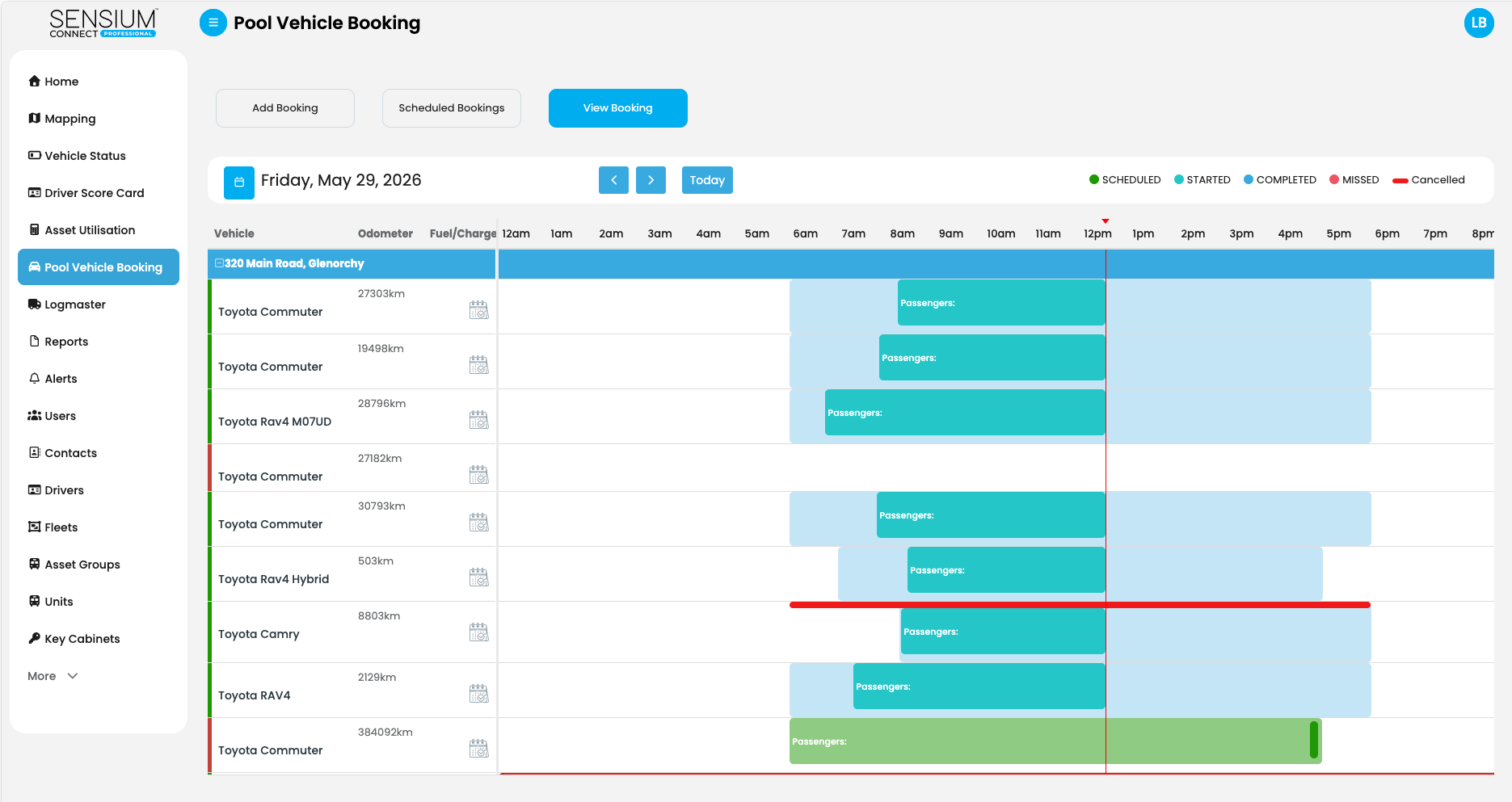
Sensium Connect, pool vehicle booking day view
Bookings, permissions and approvals
Fleets, permissions and approvals set by your rules.
Organise vehicles into fleets and decide which staff can book from each one. Routine bookings are approved automatically. Bookings that need special permission, such as overnight use, can wait for a manager’s approval, and staff who are not authorised for a fleet cannot book from it. Recurring bookings are handled the same way.

Usage and reporting by department
Bookings connected to your cost-centre structure.
Fleets and vehicles can be associated with cost centres, so you can see how shared vehicles are used across departments and allocate that use accordingly. Booking and usage information supports decisions about availability and future fleet needs. Where vehicle tracking is part of your setup, trip and utilisation data adds to that picture.

App booking, key cabinets and vehicle access
App, key cabinet or in-vehicle access.
Staff book, start and return vehicles from the app, and the app-based option needs no tracking hardware. In-vehicle access hardware lets an authorised driver start a booked vehicle, and for physical keys an electronic key cabinet, below, releases the right key against the booking.
Electronic key cabinets
Physical keys, released only against a booking.
A wall-mounted Sensium Electronic Key Cabinet holds vehicle keys, fobs and passes in individually locked slots, and releases the right key only to the staff member with a valid pool booking. It runs without tracking hardware in the vehicles.

-
Controlled collection
Only the person on the booking, only during the booking window, only the key for that vehicle.
-
Controlled return
Keys go back into a locked slot and the return is recorded, so the fleet team knows which keys are in and which are out.
-
Accountability by department
Every release and return is logged with the staff member, booking reference, key and time.
-
Fewer manual handovers
No reception desk or fleet office in the loop for routine bookings. The cabinet sits where the vehicles are kept.
-
Connected to pool bookings
The cabinet enforces the Sensium Connect+ booking at the key slot. Bookings that fall outside the rules do not release a key.

Collection and return at the cabinet
Staff identify themselves at the cabinet by RFID card, PIN or the app. The cabinet checks the booking, releases the key for the booked vehicle, and logs the return the same way. Keys, fobs and passes each have their own locked slot, and existing vehicle locks stay exactly as they are.
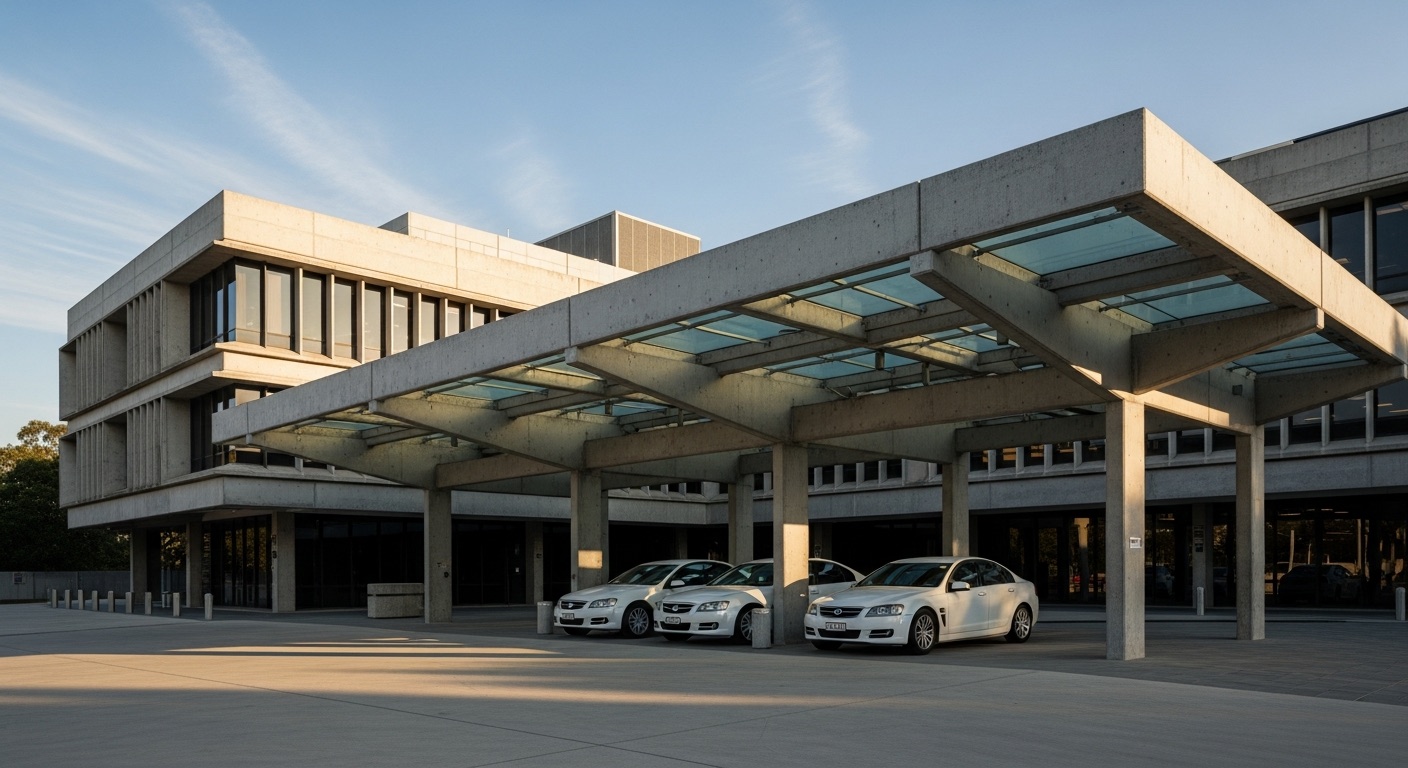
Shared vehicles
Booked by your rules. Reported by department.
Starting a conversation
Start with the way you manage bookings today.
You do not need a finished specification. Four things are enough to begin, and procurement and IT questions belong in the same conversation.
- 01
Campuses and departments
Which campuses and departments share vehicles, and how the pool is organised today.
- 02
Who books, and what needs approval
Who is allowed to book each vehicle, and which trips a manager should sign off.
- 03
Keys and returns
How staff collect keys and return vehicles now, and what you would like to change.
- 04
What each team needs to see
The information your fleet, finance and sustainability teams need from the system.
Your institution, how the vehicles are shared and what you want to improve are enough to start.
Questions
Questions universities ask.
Question 01
Can departments have different booking permissions and approval rules?
Question 01
Can departments have different booking permissions and approval rules?
Yes. Vehicles are organised into fleets, each with its own access permissions and cost-centre association, so a department only books the vehicles it is authorised to use. Booking rules can distinguish routine bookings from those that need a manager’s approval. We work through the configuration with you.
Question 02
Do we have to install tracking hardware?
Question 02
Do we have to install tracking hardware?
No. The app-based pool booking option works without vehicle tracking hardware. Vehicle tracking and vehicle access features have their own equipment requirements, which we can explain for your fleet.
Question 03
How does an electronic key cabinet work with pool bookings?
Question 03
How does an electronic key cabinet work with pool bookings?
The cabinet releases only the key for the booked vehicle, only to the staff member on the booking and only during the booking window. Returns are logged the same way. The cabinet connects to Sensium Connect+ directly and does not need tracking hardware in the vehicles.
Question 04
How do staff collect and return keys?
Question 04
How do staff collect and return keys?
A staff member identifies themselves at the cabinet by RFID card, PIN or the app. The cabinet checks the booking and releases the correct key. On return the key goes back into a locked slot and the return is recorded against the same booking.
Question 05
Can we start with booking only and add cabinets or hardware later?
Question 05
Can we start with booking only and add cabinets or hardware later?
Yes. App-based booking needs no installation. Electronic key cabinets are a facility-side install that does not change the vehicles, and in-vehicle access or tracking hardware can be added to the vehicles that need it. We plan the order with you: which campuses share vehicles, which fleets need approval rules, and where a cabinet belongs.
Question 06
What reporting do we get?
Question 06
What reporting do we get?
Booking and usage information by fleet and cost centre, so departmental use can be reviewed and allocated. Where cabinets are installed, a log of every key release and return with the staff member, booking reference, key and time. Where vehicles are tracked, trip and utilisation data as well.
Question 07
Can our IT team assess the proposed setup?
Question 07
Can our IT team assess the proposed setup?
Yes. Bring the requirements your IT team needs assessed, including data arrangements. We confirm what the proposed setup supports and identify any integration work before anything is agreed.
Talk to Sensium
Tell us about your university fleet.
Whether you are reviewing pool vehicle booking or planning a broader fleet project, tell us what you need to change. Sensium is based in Brisbane and welcomes enquiries from universities across South East Queensland, Northern New South Wales and elsewhere in Australia.